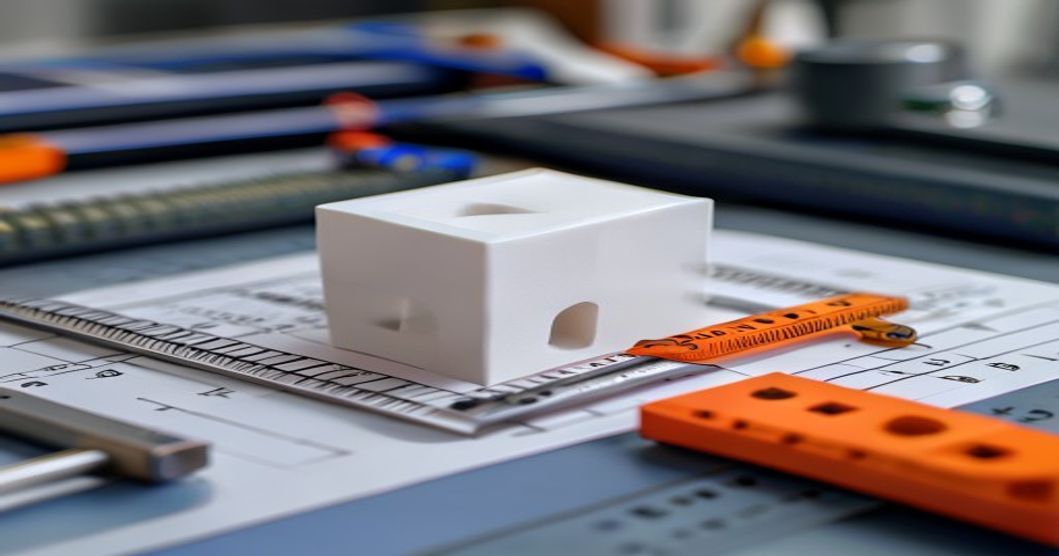
Калибровочный куб для 3D-принтера — это самый распечатываемый объект для калибровки, но при этом он вызывает больше всего недопонимания. Куб с точными размерами 20×20×20 мм свидетельствует о том, что ваш принтер настроен правильно. Куб с размерами 20,3×19,8×20,1 мм свидетельствует о отклонении калибровки, которое приведёт к потере точности сборки. В этом руководстве подробно описаны этапы печати, измерения и интерпретации результатов калибровочных кубов как для начинающих, так и для опытных пользователей.
Что такое калибровочный куб для 3D-принтера
Калибровочный куб — это простая геометрическая фигура, напечатанная для проверки того, что ваш 3D-принтер изготавливает детали правильного размера. Стандартом является куб размером 20 мм с чётко обозначенными осями X, Y и Z. После печати вы измеряете каждый размер с помощью цифрового штангенциркуля и сравниваете результаты с проектными данными. Любое отклонение указывает на ошибку масштабирования, проблемы с натяжением ремня или механическое смещение.
Хотя куб и кажется чем-то тривиальным, он является основой точности размеров. Каждая функциональная деталь, которую вы напечатаете, будет наследовать те же погрешности размеров, что и в вашем калибровочном кубе, пока вы их не исправите.
Почему калибровочные кубы так важны
Точность детали, напечатанной на 3D-принтере, зависит от точности самого принтера. К числу типичных проблем, выявляемых с помощью калибровочных кубов, относятся:
- Ошибка масштабирования по осям X/Y — Ремни слишком ослаблены или слишком затянуты, либо неправильно настроена калибровка «шагов на миллиметр»
- Погрешность по оси Z — Несоответствие шага ходового винта или неравномерное деление высоты слоя на общую высоту
- Диагональная усадка — Неравномерное охлаждение или неперпендикулярность рамы
- Закругленные углы — Чрезмерная компенсация сопла или ослабленные ремни
- Слоновая нога — Первый слой слишком сдавлен или температура платформы слишком высокая

Как напечатать калибровочный куб
Следуйте этой инструкции, чтобы обеспечить надёжную печать калибровочного куба:
- Скачать стандартный куб — Используйте проверенную модель (например, с сайтов Thingiverse или Printables) с чётко обозначенными осями и номинальными размерами 20 мм
- Нарезать со стандартными настройками — высота слоя 0,2 мм, заполнение 20%, 3 контура, без опор, PLA при температуре 200–210 °C
- Отключите любое автоматическое масштабирование — Убедитесь, что в настройках слайсера не включено масштабирование по осям X/Y/Z
- Печать по центру рабочей платформы — Не допускайте неровностей в выравнивании основания по краям
- Дождитесь полного остывания — Производите измерения только после того, как куб достигнет комнатной температуры; PLA продолжает усаживаться в течение нескольких минут после печати
Измерение калибровочного куба
Используйте цифровой штангенциркуль с разрешением 0,01 мм. Измерьте каждый размер в трёх точках и вычислите среднее значение:
| Ось | Номинальный размер (мм) | Допустимый диапазон | О чем свидетельствует эта ошибка |
|---|---|---|---|
| X | 20.00 | 19.95-20.05 | Натяжение ремня по оси X или шаги/мм |
| Y | 20.00 | 19.95-20.05 | Натяжение ремня по оси Y или шаги/мм |
| Z | 20.00 | 19.90-20.10 | Расчет шага Z-образного ходового винта или высоты слоя |
Если ваши измерения выходят за пределы этих диапазонов, приступайте к корректировке калибровки. Разница в 0,1 мм и более требует немедленного внимания; детали, изготовленные мелкосерийно, не будут надежно соединяться друг с другом.
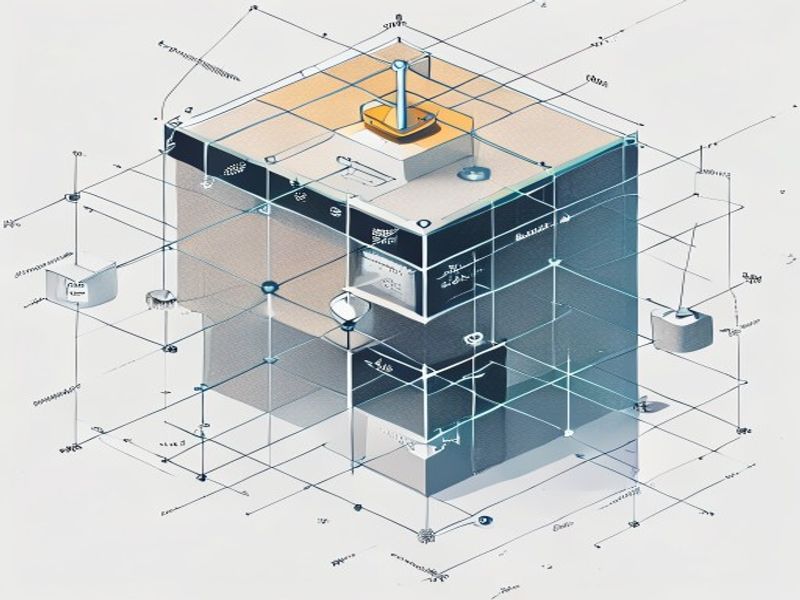
Корректировка масштабирования осей X и Y
Если размер куба по оси X составляет 20,3 мм, а должен быть 20,0 мм, это означает, что ваш принтер производит избыточную экструзию по этой оси. Порядок корректировки:
- Рассчитать поправочный коэффициент: 20,0 ÷ измеренное_значение = множитель_шагов_на_мм
- Отправьте на принтер команду M92 X[new_steps] Y[new_steps] (значения зависят от вашего оборудования)
- Сохранить с помощью M500 (если EEPROM включен)
- Снова напечатайте куб и повторно измерьте его
Повторяйте эту операцию до тех пор, пока отклонение всех трёх осей от номинального значения не составит не более 0,05 мм. На это также влияет натяжение ремня: если он слишком слабо натянут, ось может пропускать шаги; если слишком сильно натянут, двигатель с трудом обеспечивает плавный ход. Отрегулируйте натяжение ремня так, чтобы его можно было перебирать пальцами, как струну гитары (частота колебаний для типичных ремней GT2 составляет примерно 100–120 Гц).
Почему стоит выбрать нейлоновый пластик для 3D-печати и инженерных целей
Обладая более чем 10-летним опытом работы в сфере инженерных пластиков, компания Nylon Plastic поставляет высококачественные материалы клиентам B2B по всему миру. Наш ассортимент включает нейлон (PA6, PA66, PA12), POM, PEEK, а также нити для 3D-печати, в том числе PLA, PLA+ и PETG. Перед отправкой каждая партия проходит проверку на допуск по диаметру (±0,03 мм), содержание влаги и механические свойства.
- Производственные мощности, сертифицированные по стандарту ISO 9001
- Оптовые поставки по выгодным ценам для бизнеса (B2B)
- Техническая поддержка по выбору материалов и параметрам печати
- Быстрая доставка по всему миру с нескольких складов
- Возможна разработка индивидуальных рецептур материалов для проектов OEM
ЧАСТО ЗАДАВАЕМЫЕ ВОПРОСЫ
В каких случаях стоит воспользоваться руководством «Калибровочный куб для 3D-принтера: полное пошаговое руководство»?
«Куб для калибровки 3D-принтера: полное пошаговое руководство» — отличный выбор в тех случаях, когда быстрая итерация, сложная геометрия, низкая стоимость инструментов или мелкосерийное производство имеют большее значение, чем себестоимость одной детали, изготовленной литьем.
Что следует учесть перед выбором руководства «Калибровальный куб для 3D-принтера: полное пошаговое руководство»?
Проверьте размер детали, свойства материала, качество обработки поверхности, допуск на размеры, тепловое воздействие, направление нагрузки и необходимость последующей обработки.
Как «Куб для калибровки 3D-принтера: полное пошаговое руководство» сравнивается с обработкой на станках с ЧПУ?
3D-печать позволяет быстро создавать сложные формы, в то время как обработка на станках с ЧПУ часто более эффективна для получения точных поверхностей, более жестких допусков и материалов производственного класса.
Что влияет на стоимость руководства «Калибровальный куб для 3D-принтера: полное пошаговое руководство»?
Стоимость зависит от материала, объема сборки, времени печати, высоты слоя, удаления поддержки, финишной обработки, контроля и количества деталей в сборке.
Related Reading
- За пределами калибровочного куба: Усовершенствованные методы калибровки 3D-принтеров
- Процесс литья под давлением: Полное пошаговое руководство
- Как правильно выбрать экструдер для 3D-принтера
Краткий обзор
| Точка принятия решения | Что раскрывает «Куб» | Примечание для покупателя |
|---|---|---|
| Ошибка в размерах | Смещение шкалы X/Y/Z | Используйте его для проверки точности размеров |
| Экструзия | Признаки избыточной или недостаточной экструзии | Перед сбросом настроек проверьте стены |
| Углы / отверстия | Поведение при давлении и движении | Обращайте внимание на явления «звеняния», «слоновьей лапы» и «смещения отверстий» |
| Наилучшее применение | Краткое руководство по калибровке | Не отправляйте детали, опираясь исключительно на результаты куба |

